Crouch Slide
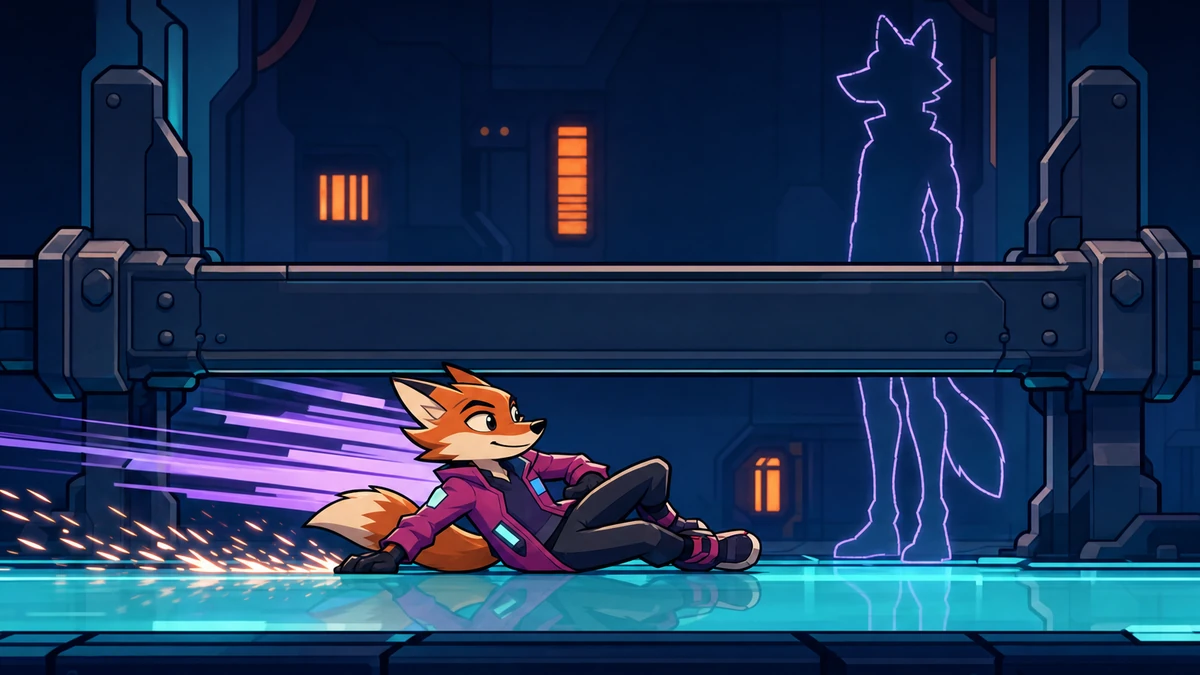
A crouch slide starts when the player presses crouch while running fast. The character gets a capped boost, then only friction acts on it, with no steering. A pause before the next slide stops chains from stacking speed, and under a low ceiling the character stays low instead of standing up into it.
Paste this to your AI
Copy it into Claude, Cursor or ChatGPT. It already has good values and the usual mistakes in it.
Add "Crouch Slide" to my game.

What it should do: A slide turns running speed into a short, committed move: the character gets under low gaps, keeps momentum through a turn of play and makes a fast approach feel different from a slow one.

Build it exactly as this state machine. First check that it fits my game, then build it like this:

```mermaid
stateDiagram-v2
  [*] --> upright
  upright: Upright
  sliding: Sliding
  crouched: Crouched
  air: In the air
  upright --> sliding: crouch while fast
  upright --> crouched: crouch while slow
  upright --> air: leaves the ground
  sliding --> crouched: slows or no room
  sliding --> upright: stands up early
  sliding --> air: slides off an edge
  crouched --> upright: stands up, room above
  crouched --> air: leaves the ground
  air --> upright: lands
  air --> crouched: lands, crouch held
  air --> sliding: lands on a press
```

Use these starting values:
- runSpeed: 6 units/s
- crouchSpeed: 2 units/s
- accel: 40 units/s²
- minSlideSpeed: 4 units/s
- slideBoost: 1.25
- slideMaxSpeed: 9 units/s
- slideFriction: 9 units/s²
- slideCooldown: 0.5 s

Watch out for these common mistakes:
- Standing up under a low ceiling: Tell your AI: ask if there is room above before standing up. If there is not, stay low, and stand up only when there is.
- Holding crouch before the run: Tell your AI: start a slide only on a new press, so remember if crouch was held on the last tick.
- Chained slides stack up speed: Tell your AI: cap the start speed, add a short pause after a slide, and start only from a run, never from a crouch.
- Sliding off an edge: Tell your AI: end the slide when the feet leave the ground, keep the speed, and start the pause then.
- Steering the slide: Tell your AI: during a slide, ignore the direction. Only friction changes the speed.
- Slide boost that adds: Tell your AI: make the start speed a multiple of the speed before it, and set it, never add to it.

Do not change anything else in the game. Do not claim anything without proof: model what it takes, and show me what your solution rests on and how I can see that it works. If you cannot show something, say you do not know. When you are done, tell me in plain words how to try it.Or skip this and connect the MCP: your AI then finds all of this by itself.Connect the MCP
What it does
A slide turns running speed into a short, committed move: the character gets under low gaps, keeps momentum through a turn of play and makes a fast approach feel different from a slow one.
How it runs, as a diagram
Everything it can be in, and what moves it on. Your AI builds from exactly this.
How it runs, as a diagram
- Upright → Sliding: crouch while fast
- Upright → Crouched: crouch while slow
- Upright → In the air: leaves the ground
- Sliding → Crouched: slows or no room
- Sliding → Upright: stands up early
- Sliding → In the air: slides off an edge
- Crouched → Upright: stands up, room above
- Crouched → In the air: leaves the ground
- In the air → Upright: lands
- In the air → Crouched: lands, crouch held
- In the air → Sliding: lands on a press
Good starting values
| Value | Start with | What it changes |
|---|---|---|
| runSpeed | 6 units/s | The top speed when upright. The slide's start speed is built from it. |
| crouchSpeed | 2 units/s | The top speed when crouched, and the speed at which a slide turns into a crouch. About a third of running keeps crouched walking slow but not stuck. |
| accel | 40 units/s² | How fast the speed moves toward what the player asks for. It makes up the change from slide speed to running or crouching. |
| minSlideSpeed | 4 units/s | The slowest speed a slide can start at. Two thirds of running speed means a slide needs a real run-up and slow walking just crouches. |
| slideBoost | 1.25 | The slide's start speed as a multiple of the speed before it. A quarter more makes it feel like a burst without breaking the level. |
| slideMaxSpeed | 9 units/s | The fastest a slide can ever be. About one and a half times running speed, so even a perfect run-up has a limit. |
| slideFriction | 9 units/s² | How fast a slide loses speed. At this value a full slide lasts about 0.6 seconds, long enough to read and short enough to stay in control. |
| slideCooldown | 0.5 s | The wait after a slide before the next one can start. It is what stops a player from chaining slides forever. |
What usually goes wrong
Standing up under a low ceiling
A player who lets go of crouch in a tunnel stands up into the ceiling, gets pushed out or stuck, or the slide cuts out and the character is thrown into a wall.
Fix: Tell your AI: ask if there is room above before standing up. If there is not, stay low, and stand up only when there is.
Holding crouch before the run
A player who holds crouch while running up slides the moment they reach speed. That feels like the game decided for them, and it makes crouch-walking impossible near the minimum speed.
Fix: Tell your AI: start a slide only on a new press, so remember if crouch was held on the last tick.
Chained slides stack up speed
If every slide multiplies the speed and a new one can start right away, a player taps crouch again and again and the speed grows without a limit.
Fix: Tell your AI: cap the start speed, add a short pause after a slide, and start only from a run, never from a crouch.
Sliding off an edge
The slide carries on in the air with the low body and its friction, or the speed is cut at the edge so the jump across a gap falls short.
Fix: Tell your AI: end the slide when the feet leave the ground, keep the speed, and start the pause then.
Steering the slide
If the player's direction still changes the speed, pushing back flips the slide in the middle. A slide that can be steered is just crouched running.
Fix: Tell your AI: during a slide, ignore the direction. Only friction changes the speed.
Slide boost that adds
A boost that adds a fixed amount makes a slide from a walk nearly as fast as one from a sprint, so running up no longer matters.
Fix: Tell your AI: make the start speed a multiple of the speed before it, and set it, never add to it.
How to check it works
- Your character runs at speed 6. Press crouch: The slide starts at speed 7.5 and the body is low.
- Your character runs at speed 9. Press crouch: The slide starts at 9, not at 11.25.
- Your character walks at speed 3. Press crouch: The character crouches, with no slide and no boost.
- The player already holds crouch and the character reaches speed 6. A tick passes: The character crouches and does not slide.
- The character is crouched under a low ceiling at speed 6. Let go of crouch and press it again: The character stays crouched, with no slide.
- A slide is going at 7.5 and the player pushes the other way. One tick passes: The speed is 7.35 and the slide goes on the same way.
- A slide starts at speed 7.5 and crouch stays held. Wait for the slide to end: It lasts about 37 ticks, ends as a crouch at crouch speed and starts the half-second pause.
- A slide is going and nothing is above the character. Let go of crouch: The character stands and keeps its speed.
- A slide is going under a low ceiling and the player lets go of crouch. The slide runs out, and later the ceiling is gone: The character slides, then crouches and stays low until there is room, then stands.
- A slide ended 0.3 seconds ago and the character runs at 6. Press crouch: The character crouches with no slide, while a press after the pause is over slides.
- The character slides at speed 7 and runs off an edge. The feet leave the ground: The slide ends, the speed stays 7 and the pause starts.
- The character falls with crouch already held. Land: The character crouches.
- The character falls at speed 6 and crouch is not held. Land while pressing crouch: The slide starts at speed 7.5.
- The player taps crouch again and again while running. Ten seconds pass: The speed never goes above the cap.
Works well with
- Grappling Hook: Let the slide start from the speed a pull leaves behind, so the two moves feed each other. The cap keeps the pair from running away.
- Stamina System: If a slide costs stamina, the press must be refused when the meter cannot pay, and then the character just crouches. Check the meter first, then start the slide.
Clashes with Jump Buffering: A jump pressed just before landing and a crouch pressed at the same time both want to act on the landing tick. Let the remembered jump win, and start the slide only if no jump is waiting.
Common questions
what do i tell my ai to add a crouch slide
Paste this: Add a crouch slide. A new press of crouch while running fast starts a slide with a capped boost, only friction slows it, nothing steers it, it ends when slow or when the player stands up where there is room, and a short pause stops chained slides.
how long should a slide last
About half a second to two thirds of a second from a full run. Shorter feels like a stumble, longer takes control away from the player for too long.
should the player be able to steer a slide
No. A slide is a commitment, and that is its price. If the player can steer it, it is only a faster crouch walk and the move loses its point.
how do i stop slide chaining from getting out of hand
Cap the start speed, add a pause after each slide and only start from a run. Then the best a player can do is one slide per run-up, which stays easy to design levels around.
Where it comes from
We could not find a reliable origin for this one yet.
What was checked
- 18 tests pass on the reference code.
- The state diagram was checked against the code, at the default values and at every listed low and high value.
Your AI gets the code
Tested example code comes through the Spielerando connection, so your AI can use it right away. How to connect it