Dissolve-Shader für Pixel Art: Zerbröseln ohne Flackern
Ein Dissolve lässt eine Figur Pixel für Pixel zerbröseln, und ein Leuchten läuft den Löchern voraus. So verlässt ein besiegter Gegner den Bildschirm, so wird eine Figur durch ein Tor davongetragen, und rückwärts abgespielt kommt sie so an. Die Reihenfolge, in der die Pixel gehen, kommt aus dem Verwürfeln der Lektion davor, und genau dort steckt der Fehler dieser Lektion.
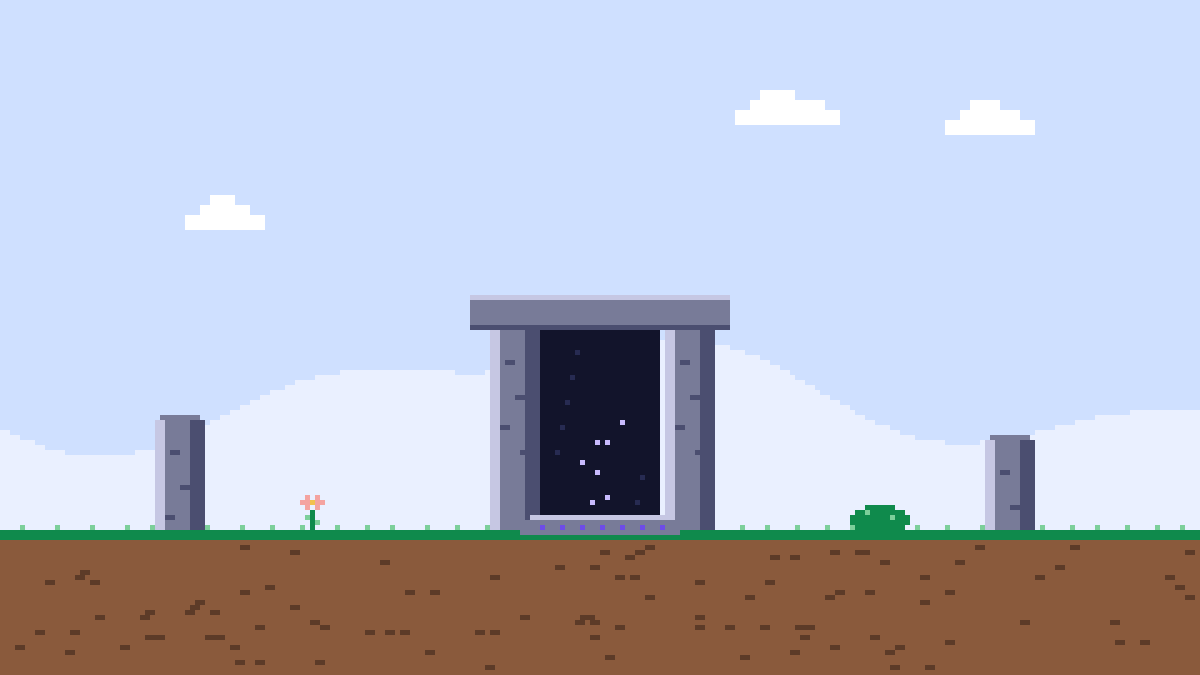
Nur die Imkerin geht an die Regel. Jeder ihrer Pixel hat eine Zahl von 0 bis 99, die sich nie ändert; während der Fortschritt steigt, gehen die niedrigen Zahlen zuerst, und die knapp darüber leuchten.
Auch in dieser Lektion 4 Lesetipps zum Vertiefen 3 Fragen zum Selbsttest
Die Idee
Eine Figur, die von einem Bild zum nächsten einfach verschwindet, wirkt wie ein Schnitt. Ein Dissolve gibt dem Moment ein, zwei Sekunden: Überall an ihr gehen Löcher auf, bis nichts mehr übrig ist. In Pixel Art sieht das richtig aus, wenn ganze Pixel gehen, einer nach dem anderen, und ein Pixel, der gegangen ist, wegbleibt. Dann liest das Auge es als Zerbröseln.
Dafür muss jeder Pixel der Figur wissen, wann er dran ist. Ein Verwürfeln seines Platzes gibt jedem Pixel eine Zahl von 0 bis 99, so wie die Sterne in der Lektion davor ihre bekamen. Das Spiel bewegt dann eine einzige Einstellung, den Fortschritt, von 0 bis 100. Niedrige Zahlen gehen früh, hohe spät, und weil die Zahlen verstreut sind, sind es die Löcher auch.
So funktioniert es
Die Regel sieht auf den Pixel der Figur. Ist dort nichts gezeichnet, antwortet sie mit nichts, also kann das Leuchten nie aus ihrer Form herausragen.
Für einen gezeichneten Pixel rechnet sie aus den Reglern „Fortschritt“ und „Rand“ eine Linie aus: den Fortschritt mal die Summe aus 100 und dem Rand, geteilt durch 100 und abgerundet, minus den Rand. Mit dem Rand bei 8 beginnt die Linie bei minus 8, wenn der Fortschritt 0 ist, also ist nichts weg und nichts leuchtet, und sie endet bei 100, wenn der Fortschritt 100 ist, also ist nichts mehr übrig.
Dann nimmt die Regel die Zahl des Pixels: seine Spalte, plus seine Zeile mal 4099, plus die Startzahl mal 65537, verwürfelt, und davon die letzten beiden Stellen. Liegt sie unter der Linie, ist der Pixel weg. Von der Linie bis zur Linie plus dem Rand leuchtet er, hier in Hellviolett, der Nummer 23 der Palette, die sich von ihr und dem dunklen Tor abhebt. Darüber behält sie ihre eigene Farbe. So leuchtet jeder Pixel erst und geht dann, und der Regler „Rand“ bestimmt, wie lange: bei 8, solange die Linie durch 8 der hundert Zahlen steigt.
Die Zahl eines Pixels hängt nur von seinem Platz und der Startzahl ab, nie von der Zeit. Ziehst du den Fortschritt zurück, kommen dieselben Pixel in umgekehrter Reihenfolge wieder, jeder leuchtet zuerst. Der Regler „Startzahl“ wählt eine andere Reihenfolge. Im Spiel sitzt die Regel meist auf dem Sprite, und der Platz eines Pixels ist sein Platz im eigenen Bild des Sprites; zwei Kopien desselben Gegners zerbröseln dann genau im selben Muster, wenn nicht jede ihre eigene Startzahl bekommt.
Was schiefgeht
Bittest du eine KI um einen Dissolve „über die Zeit“, nimmt sie oft die Zeit mit ins Verwürfeln, so wie man Rauschen bei Feuer, Wasser oder den funkelnden Sternen der Lektion davor in Bewegung bringt. Dann bekommt jeder Pixel in jedem Tick eine neue Zahl, und jeder Tick wählt andere Pixel, die weg sind. Der Fortschritt steigt weiter, also fehlt ungefähr der richtige Anteil von ihr, aber von einem Tick zum nächsten nicht dieselben Pixel.
Schalte das Bild auf „Mit dem Fehler“. Statt zu zerbröseln, flackert sie wie ein kaputter Bildschirm: Die Löcher springen von Bild zu Bild an ihr herum, und Pixel, die schon weg waren, tauchen wieder auf. Ein einzelnes Standbild verbirgt das, darum rutscht es durch, wenn die KI sich nur ein Bild ansieht.
Zwei Tests fangen es. Der eine hält den Fortschritt bei 40 und fragt in jedem Tick neu; mit dem Fehler unterscheiden sich schon im nächsten Tick 493 der 900 Pixel der Testfigur. Der andere lässt den Fortschritt wie im Spiel um einen Schritt pro Tick steigen und findet bei Tick 10 „3 pixels that had gone came back“: drei Pixel, die weg waren, sind zurück.
Der Fehler, Zeile für Zeile
- /* Dissolve, with the mistake: the time was added to the seed of the scramble, as it is for noise that
-    should move, such as fire. So every tick gives every pixel a new number, and every tick picks other
-    pixels to be gone. Instead of crumbling, the figure flickers like a broken screen, and a pixel that
-    has gone comes back on the next tick.
+ /* Dissolve: a figure crumbles away pixel by pixel, in an order that a scramble decides, and the
+    pixels that are about to go glow first. Every pixel of the figure gets its number from 0 to 99 from
+    the scramble of the lesson "Noise you can trust". As `progress` climbs from 0 to 100, a line climbs
+    through those numbers: a pixel whose number is below the line is gone, and one just above it glows.
+    The numbers never change from tick to tick, so a pixel that has gone stays gone and the figure
+    crumbles instead of flickering. Run backwards, the same rule lets her come back.

+    The pixel art way: a picture is a grid of whole numbers, 0 where nothing is and 1 to 25 for the
+    palette's colours. The rule is asked for every pixel and answers with a number.
+
     From the course "Shaders for pixel art" on spielerando.com.
     SPDX-License-Identifier: MIT */
…

  /** The rule: below the line a pixel is gone, just above it the pixel glows, and above that it stays as it came. */
- export function shade(x: number, y: number, tick: number, src: Frame, p: Params = DEFAULTS): number {
+ export function shade(x: number, y: number, _tick: number, src: Frame, p: Params = DEFAULTS): number {
    const here = at(src, x, y);
    if (here === 0) return 0; // nothing stays nothing
    // the line climbs from -edge (nothing gone, nothing glowing) to 100 (all gone) while progress goes from 0 to 100
    const line = Math.floor((p.progress * (100 + p.edge)) / 100) - p.edge;
-   // when this pixel goes, wrong: the tick is part of the seed, so the number is new every tick
-   const order = noise(x, y, p.seed + tick);
+   // when this pixel goes: the lower its number, the sooner. Its place decides, never the time
+   const order = noise(x, y, p.seed);
    if (order < line) return 0; // gone
    if (order < line + p.edge) return p.glow; // about to go: it glows
Was der Test zum Fehler sagt
✔ at progress 0 she is whole, and nothing glows
✔ at progress 100 nothing of her is left
✔ an empty pixel stays empty, and the glow never leaves her shape
✖ at the same progress the same pixels are gone, whatever the tick
    at tick 1, 493 pixels differ from tick 0
    got 493, expected 0
✖ a pixel that has gone stays gone while the progress climbs
    at tick 10, 3 pixels that had gone came back
    got 3, expected 0
✔ every pixel glows before it goes, and never the other way round
6 tests: 4 passed, 2 failed
Das sagst du deiner KI
Schreib einen Dissolve-Shader für mein Sprite: Es zerbröselt Pixel für Pixel, und jeder Pixel leuchtet kurz auf, bevor er geht.

- Nur ganze Pixel und ganze Zahlen: keine Bruchzahlen, kein Glätten, keine Zufallszahlen.
- Gib jedem Pixel des Sprites eine Zahl von 0 bis 99, indem du seinen Platz im eigenen Bild des Sprites verwürfelst: hash(x + y * 4099 + seed * 65537) % 100, mit diesem Verwürfeln auf vorzeichenlosen ganzen 32-Bit-Zahlen, die überlaufen: hash(n): n = (n xor (n >> 16)) * 0x7feb352d; n = (n xor (n >> 15)) * 0x846ca68b; return n xor (n >> 16).
- Die Zeit darf nie ins Verwürfeln. Nur eine Einstellung „progress“ von 0 bis 100 bewegt sich, und mein Spiel setzt sie.
- line = progress * (100 + edge) / 100 - edge, abgerundet. Ein Pixel, dessen Zahl unter line liegt, ist leer; unter line + edge bekommt er die Farbe des Leuchtens [eine Farbe meiner Palette]; sonst behält er seine Farbe. Leere Pixel bleiben leer. Der Rand edge ist [wie viele Zahlen leuchten, zum Beispiel 8]. Auch die Startzahl seed ist eine Einstellung, damit zwei Kopien des Sprites verschieden zerbröseln können.

Schreib vor dem Shader dieselbe Regel als kleine, einfache Funktion und teste sie: Bei progress 0 ist das Sprite ganz und nichts leuchtet; bei 100 ist nichts mehr übrig; beim selben Fortschritt sind in jedem Tick dieselben Pixel weg; ein Pixel, der weg ist, bleibt weg, während der Fortschritt steigt; jeder Pixel leuchtet, bevor er geht. Zeig mir die Ausgabe des Tests. Schreib dann den Shader so, dass er genau das tut, was die Funktion tut.
Der Code
Dreimal dieselbe Regel. Die erste ist die, die wir testen; die beiden Shader sind diese Regel in einer Shader-Sprache, und die läuft in deinem Spiel.
Die Regel, getestet: shader.ts
/* Dissolve: a figure crumbles away pixel by pixel, in an order that a scramble decides, and the
   pixels that are about to go glow first. Every pixel of the figure gets its number from 0 to 99 from
   the scramble of the lesson "Noise you can trust". As `progress` climbs from 0 to 100, a line climbs
   through those numbers: a pixel whose number is below the line is gone, and one just above it glows.
   The numbers never change from tick to tick, so a pixel that has gone stays gone and the figure
   crumbles instead of flickering. Run backwards, the same rule lets her come back.

   The pixel art way: a picture is a grid of whole numbers, 0 where nothing is and 1 to 25 for the
   palette's colours. The rule is asked for every pixel and answers with a number.

   From the course "Shaders for pixel art" on spielerando.com.
   SPDX-License-Identifier: MIT */

export interface Frame {
  width: number;
  height: number;
  index: Uint8Array;
}

export const DEFAULTS = {
  /** How far she has crumbled, from 0 (whole) to 100 (nothing left). */
  progress: 0,
  /** How many of the hundred numbers glow just before their pixels go. */
  edge: 8,
  /** Which order: another number lets her crumble in another order. */
  seed: 1,
  /** The number of the glow's colour in the palette: 23 is light violet. */
  glow: 23,
};
export type Params = typeof DEFAULTS;

/** The number at a place of the picture; outside the picture nothing is. */
export function at(src: Frame, x: number, y: number): number {
  if (x < 0 || y < 0 || x >= src.width || y >= src.height) return 0;
  return src.index[y * src.width + x];
}

/** A whole number scrambled into another, the same on every machine. */
function hash(n: number): number {
  n = Math.imul(n ^ (n >>> 16), 0x7feb352d);
  n = Math.imul(n ^ (n >>> 15), 0x846ca68b);
  return (n ^ (n >>> 16)) >>> 0;
}

/** The number from 0 to 99 for a place and a seed. */
export function noise(x: number, y: number, seed: number): number {
  return hash(x + y * 4099 + seed * 65537) % 100;
}

/** The rule: below the line a pixel is gone, just above it the pixel glows, and above that it stays as it came. */
export function shade(x: number, y: number, _tick: number, src: Frame, p: Params = DEFAULTS): number {
  const here = at(src, x, y);
  if (here === 0) return 0; // nothing stays nothing
  // the line climbs from -edge (nothing gone, nothing glowing) to 100 (all gone) while progress goes from 0 to 100
  const line = Math.floor((p.progress * (100 + p.edge)) / 100) - p.edge;
  // when this pixel goes: the lower its number, the sooner. Its place decides, never the time
  const order = noise(x, y, p.seed);
  if (order < line) return 0; // gone
  if (order < line + p.edge) return p.glow; // about to go: it glows
  return here;
}
Dieselbe Regel als Shader: GLSL
#version 300 es
// A shader the pixel art way: a pixel is a whole number, 0 where nothing is, 1 to 25 for the
// palette's colours. The rule is shade(): it is asked for every pixel and answers with a number.
// Everything outside the marked part is the same for every rule. Put your own palette in PALETTE.
precision highp float;
precision highp int;

uniform sampler2D SRC;   // the picture, sampled without smoothing (nearest)
uniform sampler2D OTHER; // a second picture, where the rule uses one
uniform int TICK;        // the time in ticks, 60 a second, counted by the game

const vec3 PALETTE[26] = vec3[26](
  vec3(0.0),
  vec3(31.0, 33.0, 66.0) / 255.0, // 1: k
  vec3(75.0, 78.0, 112.0) / 255.0, // 2: n
  vec3(120.0, 123.0, 152.0) / 255.0, // 3: m
  vec3(198.0, 199.0, 227.0) / 255.0, // 4: e
  vec3(255.0, 255.0, 255.0) / 255.0, // 5: w
  vec3(246.0, 241.0, 233.0) / 255.0, // 6: c
  vec3(214.0, 205.0, 189.0) / 255.0, // 7: d
  vec3(242.0, 193.0, 78.0) / 255.0, // 8: y
  vec3(224.0, 138.0, 46.0) / 255.0, // 9: o
  vec3(194.0, 65.0, 45.0) / 255.0, // 10: r
  vec3(244.0, 163.0, 160.0) / 255.0, // 11: p
  vec3(47.0, 98.0, 240.0) / 255.0, // 12: b
  vec3(35.0, 83.0, 214.0) / 255.0, // 13: u
  vec3(157.0, 184.0, 255.0) / 255.0, // 14: s
  vec3(234.0, 240.0, 255.0) / 255.0, // 15: a
  vec3(207.0, 224.0, 255.0) / 255.0, // 16: i
  vec3(15.0, 138.0, 76.0) / 255.0, // 17: g
  vec3(124.0, 207.0, 154.0) / 255.0, // 18: l
  vec3(226.0, 244.0, 234.0) / 255.0, // 19: f
  vec3(138.0, 90.0, 60.0) / 255.0, // 20: t
  vec3(92.0, 59.0, 40.0) / 255.0, // 21: h
  vec3(109.0, 76.0, 230.0) / 255.0, // 22: v
  vec3(201.0, 187.0, 255.0) / 255.0, // 23: q
  vec3(18.0, 20.0, 43.0) / 255.0, // 24: x
  vec3(39.0, 43.0, 82.0) / 255.0 // 25: z
);

// Which colour of the palette is this? 0 where nothing is drawn.
int number(vec4 c) {
  if (c.a < 0.5) return 0;
  int best = 1;
  float least = 9.0;
  for (int i = 1; i <= 25; i++) {
    vec3 d = c.rgb - PALETTE[i];
    float away = dot(d, d);
    if (away < least) {
      least = away;
      best = i;
    }
  }
  return best;
}

// The number at a place of the picture; outside the picture nothing is.
int at(ivec2 p) {
  ivec2 size = textureSize(SRC, 0);
  if (p.x < 0 || p.y < 0 || p.x >= size.x || p.y >= size.y) return 0;
  return number(texelFetch(SRC, p, 0));
}

// The same for the second picture.
int otherAt(ivec2 p) {
  ivec2 size = textureSize(OTHER, 0);
  if (p.x < 0 || p.y < 0 || p.x >= size.x || p.y >= size.y) return 0;
  return number(texelFetch(OTHER, p, 0));
}

// a wrapped into 0 .. n-1, also for a below zero (the % sign is not safe there)
int wrap(int a, int n) {
  return a - n * int(floor(float(a) / float(n)));
}

// ---- the rule ----
uniform int progress; // how far she has crumbled, from 0 (whole) to 100 (nothing left)
uniform int edge;     // how many of the hundred numbers glow just before their pixels go
uniform int seed;     // which order: another number lets her crumble in another order
uniform int glow;     // the number of the glow's colour in the palette: 23 is light violet

// a whole number scrambled into another, the same on every machine
uint hash(uint n) {
  n ^= n >> 16; n *= 0x7feb352du; n ^= n >> 15; n *= 0x846ca68bu; n ^= n >> 16;
  return n;
}

// the number from 0 to 99 for a place and a seed
int noise(ivec2 q, int s) {
  return int(hash(uint(q.x) + uint(q.y) * 4099u + uint(s) * 65537u) % 100u);
}

// below the line a pixel is gone, just above it the pixel glows, and above that it stays as it came
int shade(ivec2 p) {
  int here = at(p);
  if (here == 0) return 0; // nothing stays nothing
  // the line climbs from -edge (nothing gone, nothing glowing) to 100 (all gone) while progress goes from 0 to 100
  int line = progress * (100 + edge) / 100 - edge;
  // when this pixel goes: the lower its number, the sooner. Its place decides, never the time
  int order = noise(p, seed);
  if (order < line) return 0; // gone
  if (order < line + edge) return glow; // about to go: it glows
  return here;
}
// ---- end of the rule ----

out vec4 FRAGMENT;

void main() {
  // the pixel's place, counted from the top left as in the picture
  ivec2 p = ivec2(int(gl_FragCoord.x), textureSize(SRC, 0).y - 1 - int(gl_FragCoord.y));
  int n = shade(p);
  FRAGMENT = n == 0 ? vec4(0.0) : vec4(PALETTE[n], 1.0);
}
Dieselbe Regel für Godot 4
shader_type canvas_item;
// A shader the pixel art way: a pixel is a whole number, 0 where nothing is, 1 to 25 for the
// palette's colours. The rule is shade(): it is asked for every pixel and answers with a number.
// Everything outside the marked part is the same for every rule. Put your own palette in PALETTE.
//
// Put this on the sprite, and give it the sprite's own picture once:
//   material.set_shader_parameter("SRC", texture)
uniform sampler2D SRC : filter_nearest;
uniform sampler2D OTHER : filter_nearest; // a second picture, where the rule uses one
// The time in ticks, 60 a second. The game counts it itself: add 1 in the _physics_process of a
// node that pauses with the game, and set it there, so a paused game pauses its shaders:
//   tick += 1
//   material.set_shader_parameter("TICK", tick)
uniform int TICK;

const vec3 PALETTE[26] = vec3[26](
  vec3(0.0),
  vec3(31.0, 33.0, 66.0) / 255.0, // 1: k
  vec3(75.0, 78.0, 112.0) / 255.0, // 2: n
  vec3(120.0, 123.0, 152.0) / 255.0, // 3: m
  vec3(198.0, 199.0, 227.0) / 255.0, // 4: e
  vec3(255.0, 255.0, 255.0) / 255.0, // 5: w
  vec3(246.0, 241.0, 233.0) / 255.0, // 6: c
  vec3(214.0, 205.0, 189.0) / 255.0, // 7: d
  vec3(242.0, 193.0, 78.0) / 255.0, // 8: y
  vec3(224.0, 138.0, 46.0) / 255.0, // 9: o
  vec3(194.0, 65.0, 45.0) / 255.0, // 10: r
  vec3(244.0, 163.0, 160.0) / 255.0, // 11: p
  vec3(47.0, 98.0, 240.0) / 255.0, // 12: b
  vec3(35.0, 83.0, 214.0) / 255.0, // 13: u
  vec3(157.0, 184.0, 255.0) / 255.0, // 14: s
  vec3(234.0, 240.0, 255.0) / 255.0, // 15: a
  vec3(207.0, 224.0, 255.0) / 255.0, // 16: i
  vec3(15.0, 138.0, 76.0) / 255.0, // 17: g
  vec3(124.0, 207.0, 154.0) / 255.0, // 18: l
  vec3(226.0, 244.0, 234.0) / 255.0, // 19: f
  vec3(138.0, 90.0, 60.0) / 255.0, // 20: t
  vec3(92.0, 59.0, 40.0) / 255.0, // 21: h
  vec3(109.0, 76.0, 230.0) / 255.0, // 22: v
  vec3(201.0, 187.0, 255.0) / 255.0, // 23: q
  vec3(18.0, 20.0, 43.0) / 255.0, // 24: x
  vec3(39.0, 43.0, 82.0) / 255.0 // 25: z
);

// Which colour of the palette is this? 0 where nothing is drawn.
int number(vec4 c) {
  if (c.a < 0.5) return 0;
  int best = 1;
  float least = 9.0;
  for (int i = 1; i <= 25; i++) {
    vec3 d = c.rgb - PALETTE[i];
    float away = dot(d, d);
    if (away < least) {
      least = away;
      best = i;
    }
  }
  return best;
}

// The number at a place of the picture; outside the picture nothing is.
int at(ivec2 p) {
  ivec2 size = textureSize(SRC, 0);
  if (p.x < 0 || p.y < 0 || p.x >= size.x || p.y >= size.y) return 0;
  return number(texelFetch(SRC, p, 0));
}

// The same for the second picture.
int otherAt(ivec2 p) {
  ivec2 size = textureSize(OTHER, 0);
  if (p.x < 0 || p.y < 0 || p.x >= size.x || p.y >= size.y) return 0;
  return number(texelFetch(OTHER, p, 0));
}

// a wrapped into 0 .. n-1, also for a below zero (the % sign is not safe there)
int wrap(int a, int n) {
  return a - n * int(floor(float(a) / float(n)));
}

// ---- the rule ----
uniform int progress; // how far she has crumbled, from 0 (whole) to 100 (nothing left)
uniform int edge;     // how many of the hundred numbers glow just before their pixels go
uniform int seed;     // which order: another number lets her crumble in another order
uniform int glow;     // the number of the glow's colour in the palette: 23 is light violet

// a whole number scrambled into another, the same on every machine
uint hash(uint n) {
  n ^= n >> 16; n *= 0x7feb352du; n ^= n >> 15; n *= 0x846ca68bu; n ^= n >> 16;
  return n;
}

// the number from 0 to 99 for a place and a seed
int noise(ivec2 q, int s) {
  return int(hash(uint(q.x) + uint(q.y) * 4099u + uint(s) * 65537u) % 100u);
}

// below the line a pixel is gone, just above it the pixel glows, and above that it stays as it came
int shade(ivec2 p) {
  int here = at(p);
  if (here == 0) return 0; // nothing stays nothing
  // the line climbs from -edge (nothing gone, nothing glowing) to 100 (all gone) while progress goes from 0 to 100
  int line = progress * (100 + edge) / 100 - edge;
  // when this pixel goes: the lower its number, the sooner. Its place decides, never the time
  int order = noise(p, seed);
  if (order < line) return 0; // gone
  if (order < line + edge) return glow; // about to go: it glows
  return here;
}
// ---- end of the rule ----

void fragment() {
  ivec2 p = ivec2(UV * vec2(textureSize(SRC, 0)));
  int n = shade(p);
  COLOR = n == 0 ? vec4(0.0) : vec4(PALETTE[n], 1.0);
}
Der Test: shader.test.ts
import assert from "node:assert/strict";
import { test } from "node:test";
import { DEFAULTS, type Frame, shade } from "./shader.ts";

/** A tiny picture from rows of digits: 0 is nothing, 1 to 9 are colours. */
function picture(rows: string[]): Frame {
  return { width: rows[0].length, height: rows.length, index: Uint8Array.from(rows.join(""), Number) };
}

/** A figure of 30 by 30 pixels in one colour, 7, with nothing around it: enough pixels to count. */
const BLOCK: Frame = { width: 32, height: 32, index: new Uint8Array(32 * 32) };
for (let y = 1; y < 31; y++) for (let x = 1; x < 31; x++) BLOCK.index[y * 32 + x] = 7;

const BEETLE = picture([
  "0011100",
  "0144410",
  "1444441",
  "0144410",
  "0100010",
]);

function whole(src: Frame, tick = 0, params = DEFAULTS): number[] {
  const out: number[] = [];
  for (let y = 0; y < src.height; y++) for (let x = 0; x < src.width; x++) out.push(shade(x, y, tick, src, params));
  return out;
}

/** What became of each pixel: 0 gone, 1 glowing, 2 as it came. */
const states = (src: Frame, answers: number[], glow = DEFAULTS.glow) => answers.map((n, i) => (n === 0 ? 0 : n === glow && src.index[i] !== glow ? 1 : 2));

test("at progress 0 she is whole, and nothing glows", () => {
  assert.deepEqual(whole(BEETLE, 0, { ...DEFAULTS, progress: 0 }), [...BEETLE.index]);
  assert.deepEqual(whole(BLOCK, 0, { ...DEFAULTS, progress: 0 }), [...BLOCK.index]);
});

test("at progress 100 nothing of her is left", () => {
  assert.equal(whole(BLOCK, 0, { ...DEFAULTS, progress: 100 }).filter((n) => n !== 0).length, 0);
  assert.equal(whole(BEETLE, 0, { ...DEFAULTS, progress: 100, edge: 30 }).filter((n) => n !== 0).length, 0);
});

test("an empty pixel stays empty, and the glow never leaves her shape", () => {
  for (let progress = 0; progress <= 100; progress += 5) {
    const answers = whole(BEETLE, 0, { ...DEFAULTS, progress });
    BEETLE.index.forEach((n, i) => {
      if (n === 0) assert.equal(answers[i], 0, `at progress ${progress}`);
    });
  }
});

test("at the same progress the same pixels are gone, whatever the tick", () => {
  const params = { ...DEFAULTS, progress: 40 };
  const atStart = whole(BLOCK, 0, params);
  for (let tick = 1; tick <= 120; tick += 1) {
    const now = whole(BLOCK, tick, params);
    const differ = now.filter((n, i) => n !== atStart[i]).length;
    assert.equal(differ, 0, `at tick ${tick}, ${differ} pixels differ from tick 0`);
  }
});

test("a pixel that has gone stays gone while the progress climbs", () => {
  // as in a game: one step of progress every tick
  let gone = new Set<number>();
  for (let tick = 0; tick <= 100; tick++) {
    const answers = whole(BLOCK, tick, { ...DEFAULTS, progress: tick });
    const now = new Set(answers.flatMap((n, i) => (n === 0 && BLOCK.index[i] !== 0 ? [i] : [])));
    const back = [...gone].filter((i) => !now.has(i)).length;
    assert.equal(back, 0, `at tick ${tick}, ${back} pixels that had gone came back`);
    gone = now;
  }
});

test("every pixel glows before it goes, and never the other way round", () => {
  const seen = Array.from(BLOCK.index, () => [] as number[]);
  for (let progress = 0; progress <= 100; progress++) {
    states(BLOCK, whole(BLOCK, 0, { ...DEFAULTS, progress })).forEach((s, i) => seen[i].push(s));
  }
  seen.forEach((steps, i) => {
    if (BLOCK.index[i] === 0) return;
    const order = [...steps].reverse(); // from progress 100 back to 0: gone, then glowing, then whole
    assert.deepEqual(order, [...order].sort((a, b) => a - b), `the pixel at ${i % 32}, ${Math.floor(i / 32)} went out of order`);
    assert.ok(steps.includes(1), `the pixel at ${i % 32}, ${Math.floor(i / 32)} never glowed`);
  });
});
- 6 Tests bestehen mit der Regel.
- Mit dem eingebauten Fehler schlagen 2 davon fehl: "at the same progress the same pixels are gone, whatever the tick", "a pixel that has gone stays gone while the progress climbs".
- Der Fehler ist im Bild oben zu sehen: Schalte auf „Mit dem Fehler“.
- Der Shader lief in einem Browser (Chrome/158.0.8127.37) auf 14 Bildern und ergab in 453.600 von 453.600 Pixeln das Bild der Regel.
Probier es aus
- Schieb „Fortschritt“ langsam von 0 auf 100 und zurück. Löcher gehen auf, und das Leuchten läuft ihnen voraus; auf dem Rückweg kommen dieselben Pixel in umgekehrter Reihenfolge wieder, jeder leuchtet zuerst.
- Stell „Rand“ auf 0, dann auf 30. Bei 0 verschwinden die Pixel einfach, ohne Leuchten; bei 30 leuchten 30 der hundert Zahlen zugleich, fast ein Drittel von ihr, bevor die Löcher nachkommen.
- Halte „Fortschritt“ bei 50, schalte auf „Mit dem Fehler“ und sieh hin: Am Regler bewegt sich nichts, und doch flackert sie weiter. Schieb stattdessen mit der Regel „Startzahl“: Du bekommst eine andere Reihenfolge, und sie hält still.
Zum Nachlesen
Wo es tiefer geht: unsere Seiten, auf denen diese Lektion aufbaut, und was andere zu ihrem Punkt geschrieben haben.
Rauschen im Shader für Pixel Art: auf jedem Gerät dieselben Sterne
Woher die Zahl jedes Pixels kommt: das Verwürfeln Schritt für Schritt, warum eine einzige Multiplikation die Zahlen in Streifen ordnet und warum ein Sinus auf einer anderen Grafikkarte anders ausfallen kann.
Bildübergang als Shader für Pixel Art: ein geditherter Wischer
Ein Wischen über den ganzen Bildschirm, gesteuert von derselben Art Fortschritt, und der Fehler, den die Linie dieser Lektion vermeidet: ein weicher Rand, der noch nicht fertig ist, wenn der Fortschritt am Ende ist.
Wie ein Spiel jeder Kopie eines Gegners ihre eigene Startzahl gibt, aus einer Zahl oder aus einem Namen, damit keine zwei gleich zerbröseln, und warum jedes System aus einem eigenen Strom zieht.
Godots eigene Referenz für das, was das Verwürfeln braucht: den Typ für vorzeichenlose ganze Zahlen, das u hinter so einer Zahl, Verschiebung und xor, und wie ein Skript den Fortschritt mit set_shader_parameter setzt.
Teste dich: drei Fragen
Jede Antwort wird sofort geprüft und erklärt. Die Fragen gehören zum Quiz und zählen für deinen Game Coder IQ wie jede andere.
Beim Dissolve geht jeder Pixel der Figur zu seinem eigenen Zeitpunkt. Was entscheidet, wann ein Pixel dran ist?
Nächste Lektion Schlagschatten-Shader für Pixel Art: zurückschauen, nicht vor
Gib deiner KI die ganze Lektion
Der Knopf kopiert, was du ihr sagst, zusammen mit der getesteten Regel, ihrem Test und beiden Shadern. So hat deine KI alles, um das in dein Spiel zu bauen und dir zu zeigen, dass es funktioniert.
Das ist eine Lektion aus dem Kurs „Shader für Pixel Art“ auf spielerando.com: https://spielerando.com/de/courses/pixel-shaders/dissolve

Schreib einen Dissolve-Shader für mein Sprite: Es zerbröselt Pixel für Pixel, und jeder Pixel leuchtet kurz auf, bevor er geht.

- Nur ganze Pixel und ganze Zahlen: keine Bruchzahlen, kein Glätten, keine Zufallszahlen.
- Gib jedem Pixel des Sprites eine Zahl von 0 bis 99, indem du seinen Platz im eigenen Bild des Sprites verwürfelst: hash(x + y * 4099 + seed * 65537) % 100, mit diesem Verwürfeln auf vorzeichenlosen ganzen 32-Bit-Zahlen, die überlaufen: hash(n): n = (n xor (n >> 16)) * 0x7feb352d; n = (n xor (n >> 15)) * 0x846ca68b; return n xor (n >> 16).
- Die Zeit darf nie ins Verwürfeln. Nur eine Einstellung „progress“ von 0 bis 100 bewegt sich, und mein Spiel setzt sie.
- line = progress * (100 + edge) / 100 - edge, abgerundet. Ein Pixel, dessen Zahl unter line liegt, ist leer; unter line + edge bekommt er die Farbe des Leuchtens [eine Farbe meiner Palette]; sonst behält er seine Farbe. Leere Pixel bleiben leer. Der Rand edge ist [wie viele Zahlen leuchten, zum Beispiel 8]. Auch die Startzahl seed ist eine Einstellung, damit zwei Kopien des Sprites verschieden zerbröseln können.

Schreib vor dem Shader dieselbe Regel als kleine, einfache Funktion und teste sie: Bei progress 0 ist das Sprite ganz und nichts leuchtet; bei 100 ist nichts mehr übrig; beim selben Fortschritt sind in jedem Tick dieselben Pixel weg; ein Pixel, der weg ist, bleibt weg, während der Fortschritt steigt; jeder Pixel leuchtet, bevor er geht. Zeig mir die Ausgabe des Tests. Schreib dann den Shader so, dass er genau das tut, was die Funktion tut.

Die Regel, getestet (shader.ts):
```ts
/* Dissolve: a figure crumbles away pixel by pixel, in an order that a scramble decides, and the
   pixels that are about to go glow first. Every pixel of the figure gets its number from 0 to 99 from
   the scramble of the lesson "Noise you can trust". As `progress` climbs from 0 to 100, a line climbs
   through those numbers: a pixel whose number is below the line is gone, and one just above it glows.
   The numbers never change from tick to tick, so a pixel that has gone stays gone and the figure
   crumbles instead of flickering. Run backwards, the same rule lets her come back.

   The pixel art way: a picture is a grid of whole numbers, 0 where nothing is and 1 to 25 for the
   palette's colours. The rule is asked for every pixel and answers with a number.

   From the course "Shaders for pixel art" on spielerando.com.
   SPDX-License-Identifier: MIT */

export interface Frame {
  width: number;
  height: number;
  index: Uint8Array;
}

export const DEFAULTS = {
  /** How far she has crumbled, from 0 (whole) to 100 (nothing left). */
  progress: 0,
  /** How many of the hundred numbers glow just before their pixels go. */
  edge: 8,
  /** Which order: another number lets her crumble in another order. */
  seed: 1,
  /** The number of the glow's colour in the palette: 23 is light violet. */
  glow: 23,
};
export type Params = typeof DEFAULTS;

/** The number at a place of the picture; outside the picture nothing is. */
export function at(src: Frame, x: number, y: number): number {
  if (x < 0 || y < 0 || x >= src.width || y >= src.height) return 0;
  return src.index[y * src.width + x];
}

/** A whole number scrambled into another, the same on every machine. */
function hash(n: number): number {
  n = Math.imul(n ^ (n >>> 16), 0x7feb352d);
  n = Math.imul(n ^ (n >>> 15), 0x846ca68b);
  return (n ^ (n >>> 16)) >>> 0;
}

/** The number from 0 to 99 for a place and a seed. */
export function noise(x: number, y: number, seed: number): number {
  return hash(x + y * 4099 + seed * 65537) % 100;
}

/** The rule: below the line a pixel is gone, just above it the pixel glows, and above that it stays as it came. */
export function shade(x: number, y: number, _tick: number, src: Frame, p: Params = DEFAULTS): number {
  const here = at(src, x, y);
  if (here === 0) return 0; // nothing stays nothing
  // the line climbs from -edge (nothing gone, nothing glowing) to 100 (all gone) while progress goes from 0 to 100
  const line = Math.floor((p.progress * (100 + p.edge)) / 100) - p.edge;
  // when this pixel goes: the lower its number, the sooner. Its place decides, never the time
  const order = noise(x, y, p.seed);
  if (order < line) return 0; // gone
  if (order < line + p.edge) return p.glow; // about to go: it glows
  return here;
}
```

Ihr Test (shader.test.ts):
```ts
import assert from "node:assert/strict";
import { test } from "node:test";
import { DEFAULTS, type Frame, shade } from "./shader.ts";

/** A tiny picture from rows of digits: 0 is nothing, 1 to 9 are colours. */
function picture(rows: string[]): Frame {
  return { width: rows[0].length, height: rows.length, index: Uint8Array.from(rows.join(""), Number) };
}

/** A figure of 30 by 30 pixels in one colour, 7, with nothing around it: enough pixels to count. */
const BLOCK: Frame = { width: 32, height: 32, index: new Uint8Array(32 * 32) };
for (let y = 1; y < 31; y++) for (let x = 1; x < 31; x++) BLOCK.index[y * 32 + x] = 7;

const BEETLE = picture([
  "0011100",
  "0144410",
  "1444441",
  "0144410",
  "0100010",
]);

function whole(src: Frame, tick = 0, params = DEFAULTS): number[] {
  const out: number[] = [];
  for (let y = 0; y < src.height; y++) for (let x = 0; x < src.width; x++) out.push(shade(x, y, tick, src, params));
  return out;
}

/** What became of each pixel: 0 gone, 1 glowing, 2 as it came. */
const states = (src: Frame, answers: number[], glow = DEFAULTS.glow) => answers.map((n, i) => (n === 0 ? 0 : n === glow && src.index[i] !== glow ? 1 : 2));

test("at progress 0 she is whole, and nothing glows", () => {
  assert.deepEqual(whole(BEETLE, 0, { ...DEFAULTS, progress: 0 }), [...BEETLE.index]);
  assert.deepEqual(whole(BLOCK, 0, { ...DEFAULTS, progress: 0 }), [...BLOCK.index]);
});

test("at progress 100 nothing of her is left", () => {
  assert.equal(whole(BLOCK, 0, { ...DEFAULTS, progress: 100 }).filter((n) => n !== 0).length, 0);
  assert.equal(whole(BEETLE, 0, { ...DEFAULTS, progress: 100, edge: 30 }).filter((n) => n !== 0).length, 0);
});

test("an empty pixel stays empty, and the glow never leaves her shape", () => {
  for (let progress = 0; progress <= 100; progress += 5) {
    const answers = whole(BEETLE, 0, { ...DEFAULTS, progress });
    BEETLE.index.forEach((n, i) => {
      if (n === 0) assert.equal(answers[i], 0, `at progress ${progress}`);
    });
  }
});

test("at the same progress the same pixels are gone, whatever the tick", () => {
  const params = { ...DEFAULTS, progress: 40 };
  const atStart = whole(BLOCK, 0, params);
  for (let tick = 1; tick <= 120; tick += 1) {
    const now = whole(BLOCK, tick, params);
    const differ = now.filter((n, i) => n !== atStart[i]).length;
    assert.equal(differ, 0, `at tick ${tick}, ${differ} pixels differ from tick 0`);
  }
});

test("a pixel that has gone stays gone while the progress climbs", () => {
  // as in a game: one step of progress every tick
  let gone = new Set<number>();
  for (let tick = 0; tick <= 100; tick++) {
    const answers = whole(BLOCK, tick, { ...DEFAULTS, progress: tick });
    const now = new Set(answers.flatMap((n, i) => (n === 0 && BLOCK.index[i] !== 0 ? [i] : [])));
    const back = [...gone].filter((i) => !now.has(i)).length;
    assert.equal(back, 0, `at tick ${tick}, ${back} pixels that had gone came back`);
    gone = now;
  }
});

test("every pixel glows before it goes, and never the other way round", () => {
  const seen = Array.from(BLOCK.index, () => [] as number[]);
  for (let progress = 0; progress <= 100; progress++) {
    states(BLOCK, whole(BLOCK, 0, { ...DEFAULTS, progress })).forEach((s, i) => seen[i].push(s));
  }
  seen.forEach((steps, i) => {
    if (BLOCK.index[i] === 0) return;
    const order = [...steps].reverse(); // from progress 100 back to 0: gone, then glowing, then whole
    assert.deepEqual(order, [...order].sort((a, b) => a - b), `the pixel at ${i % 32}, ${Math.floor(i / 32)} went out of order`);
    assert.ok(steps.includes(1), `the pixel at ${i % 32}, ${Math.floor(i / 32)} never glowed`);
  });
});
```

Dieselbe Regel als GLSL-Shader (WebGL 2, OpenGL ES 3.0), Pixel für Pixel gegen die Regel geprüft:
```glsl
#version 300 es
// A shader the pixel art way: a pixel is a whole number, 0 where nothing is, 1 to 25 for the
// palette's colours. The rule is shade(): it is asked for every pixel and answers with a number.
// Everything outside the marked part is the same for every rule. Put your own palette in PALETTE.
precision highp float;
precision highp int;

uniform sampler2D SRC;   // the picture, sampled without smoothing (nearest)
uniform sampler2D OTHER; // a second picture, where the rule uses one
uniform int TICK;        // the time in ticks, 60 a second, counted by the game

const vec3 PALETTE[26] = vec3[26](
  vec3(0.0),
  vec3(31.0, 33.0, 66.0) / 255.0, // 1: k
  vec3(75.0, 78.0, 112.0) / 255.0, // 2: n
  vec3(120.0, 123.0, 152.0) / 255.0, // 3: m
  vec3(198.0, 199.0, 227.0) / 255.0, // 4: e
  vec3(255.0, 255.0, 255.0) / 255.0, // 5: w
  vec3(246.0, 241.0, 233.0) / 255.0, // 6: c
  vec3(214.0, 205.0, 189.0) / 255.0, // 7: d
  vec3(242.0, 193.0, 78.0) / 255.0, // 8: y
  vec3(224.0, 138.0, 46.0) / 255.0, // 9: o
  vec3(194.0, 65.0, 45.0) / 255.0, // 10: r
  vec3(244.0, 163.0, 160.0) / 255.0, // 11: p
  vec3(47.0, 98.0, 240.0) / 255.0, // 12: b
  vec3(35.0, 83.0, 214.0) / 255.0, // 13: u
  vec3(157.0, 184.0, 255.0) / 255.0, // 14: s
  vec3(234.0, 240.0, 255.0) / 255.0, // 15: a
  vec3(207.0, 224.0, 255.0) / 255.0, // 16: i
  vec3(15.0, 138.0, 76.0) / 255.0, // 17: g
  vec3(124.0, 207.0, 154.0) / 255.0, // 18: l
  vec3(226.0, 244.0, 234.0) / 255.0, // 19: f
  vec3(138.0, 90.0, 60.0) / 255.0, // 20: t
  vec3(92.0, 59.0, 40.0) / 255.0, // 21: h
  vec3(109.0, 76.0, 230.0) / 255.0, // 22: v
  vec3(201.0, 187.0, 255.0) / 255.0, // 23: q
  vec3(18.0, 20.0, 43.0) / 255.0, // 24: x
  vec3(39.0, 43.0, 82.0) / 255.0 // 25: z
);

// Which colour of the palette is this? 0 where nothing is drawn.
int number(vec4 c) {
  if (c.a < 0.5) return 0;
  int best = 1;
  float least = 9.0;
  for (int i = 1; i <= 25; i++) {
    vec3 d = c.rgb - PALETTE[i];
    float away = dot(d, d);
    if (away < least) {
      least = away;
      best = i;
    }
  }
  return best;
}

// The number at a place of the picture; outside the picture nothing is.
int at(ivec2 p) {
  ivec2 size = textureSize(SRC, 0);
  if (p.x < 0 || p.y < 0 || p.x >= size.x || p.y >= size.y) return 0;
  return number(texelFetch(SRC, p, 0));
}

// The same for the second picture.
int otherAt(ivec2 p) {
  ivec2 size = textureSize(OTHER, 0);
  if (p.x < 0 || p.y < 0 || p.x >= size.x || p.y >= size.y) return 0;
  return number(texelFetch(OTHER, p, 0));
}

// a wrapped into 0 .. n-1, also for a below zero (the % sign is not safe there)
int wrap(int a, int n) {
  return a - n * int(floor(float(a) / float(n)));
}

// ---- the rule ----
uniform int progress; // how far she has crumbled, from 0 (whole) to 100 (nothing left)
uniform int edge;     // how many of the hundred numbers glow just before their pixels go
uniform int seed;     // which order: another number lets her crumble in another order
uniform int glow;     // the number of the glow's colour in the palette: 23 is light violet

// a whole number scrambled into another, the same on every machine
uint hash(uint n) {
  n ^= n >> 16; n *= 0x7feb352du; n ^= n >> 15; n *= 0x846ca68bu; n ^= n >> 16;
  return n;
}

// the number from 0 to 99 for a place and a seed
int noise(ivec2 q, int s) {
  return int(hash(uint(q.x) + uint(q.y) * 4099u + uint(s) * 65537u) % 100u);
}

// below the line a pixel is gone, just above it the pixel glows, and above that it stays as it came
int shade(ivec2 p) {
  int here = at(p);
  if (here == 0) return 0; // nothing stays nothing
  // the line climbs from -edge (nothing gone, nothing glowing) to 100 (all gone) while progress goes from 0 to 100
  int line = progress * (100 + edge) / 100 - edge;
  // when this pixel goes: the lower its number, the sooner. Its place decides, never the time
  int order = noise(p, seed);
  if (order < line) return 0; // gone
  if (order < line + edge) return glow; // about to go: it glows
  return here;
}
// ---- end of the rule ----

out vec4 FRAGMENT;

void main() {
  // the pixel's place, counted from the top left as in the picture
  ivec2 p = ivec2(int(gl_FragCoord.x), textureSize(SRC, 0).y - 1 - int(gl_FragCoord.y));
  int n = shade(p);
  FRAGMENT = n == 0 ? vec4(0.0) : vec4(PALETTE[n], 1.0);
}
```

Dieselbe Regel für Godot 4 (von den Autoren nicht ausgeführt):
```gdshader
shader_type canvas_item;
// A shader the pixel art way: a pixel is a whole number, 0 where nothing is, 1 to 25 for the
// palette's colours. The rule is shade(): it is asked for every pixel and answers with a number.
// Everything outside the marked part is the same for every rule. Put your own palette in PALETTE.
//
// Put this on the sprite, and give it the sprite's own picture once:
//   material.set_shader_parameter("SRC", texture)
uniform sampler2D SRC : filter_nearest;
uniform sampler2D OTHER : filter_nearest; // a second picture, where the rule uses one
// The time in ticks, 60 a second. The game counts it itself: add 1 in the _physics_process of a
// node that pauses with the game, and set it there, so a paused game pauses its shaders:
//   tick += 1
//   material.set_shader_parameter("TICK", tick)
uniform int TICK;

const vec3 PALETTE[26] = vec3[26](
  vec3(0.0),
  vec3(31.0, 33.0, 66.0) / 255.0, // 1: k
  vec3(75.0, 78.0, 112.0) / 255.0, // 2: n
  vec3(120.0, 123.0, 152.0) / 255.0, // 3: m
  vec3(198.0, 199.0, 227.0) / 255.0, // 4: e
  vec3(255.0, 255.0, 255.0) / 255.0, // 5: w
  vec3(246.0, 241.0, 233.0) / 255.0, // 6: c
  vec3(214.0, 205.0, 189.0) / 255.0, // 7: d
  vec3(242.0, 193.0, 78.0) / 255.0, // 8: y
  vec3(224.0, 138.0, 46.0) / 255.0, // 9: o
  vec3(194.0, 65.0, 45.0) / 255.0, // 10: r
  vec3(244.0, 163.0, 160.0) / 255.0, // 11: p
  vec3(47.0, 98.0, 240.0) / 255.0, // 12: b
  vec3(35.0, 83.0, 214.0) / 255.0, // 13: u
  vec3(157.0, 184.0, 255.0) / 255.0, // 14: s
  vec3(234.0, 240.0, 255.0) / 255.0, // 15: a
  vec3(207.0, 224.0, 255.0) / 255.0, // 16: i
  vec3(15.0, 138.0, 76.0) / 255.0, // 17: g
  vec3(124.0, 207.0, 154.0) / 255.0, // 18: l
  vec3(226.0, 244.0, 234.0) / 255.0, // 19: f
  vec3(138.0, 90.0, 60.0) / 255.0, // 20: t
  vec3(92.0, 59.0, 40.0) / 255.0, // 21: h
  vec3(109.0, 76.0, 230.0) / 255.0, // 22: v
  vec3(201.0, 187.0, 255.0) / 255.0, // 23: q
  vec3(18.0, 20.0, 43.0) / 255.0, // 24: x
  vec3(39.0, 43.0, 82.0) / 255.0 // 25: z
);

// Which colour of the palette is this? 0 where nothing is drawn.
int number(vec4 c) {
  if (c.a < 0.5) return 0;
  int best = 1;
  float least = 9.0;
  for (int i = 1; i <= 25; i++) {
    vec3 d = c.rgb - PALETTE[i];
    float away = dot(d, d);
    if (away < least) {
      least = away;
      best = i;
    }
  }
  return best;
}

// The number at a place of the picture; outside the picture nothing is.
int at(ivec2 p) {
  ivec2 size = textureSize(SRC, 0);
  if (p.x < 0 || p.y < 0 || p.x >= size.x || p.y >= size.y) return 0;
  return number(texelFetch(SRC, p, 0));
}

// The same for the second picture.
int otherAt(ivec2 p) {
  ivec2 size = textureSize(OTHER, 0);
  if (p.x < 0 || p.y < 0 || p.x >= size.x || p.y >= size.y) return 0;
  return number(texelFetch(OTHER, p, 0));
}

// a wrapped into 0 .. n-1, also for a below zero (the % sign is not safe there)
int wrap(int a, int n) {
  return a - n * int(floor(float(a) / float(n)));
}

// ---- the rule ----
uniform int progress; // how far she has crumbled, from 0 (whole) to 100 (nothing left)
uniform int edge;     // how many of the hundred numbers glow just before their pixels go
uniform int seed;     // which order: another number lets her crumble in another order
uniform int glow;     // the number of the glow's colour in the palette: 23 is light violet

// a whole number scrambled into another, the same on every machine
uint hash(uint n) {
  n ^= n >> 16; n *= 0x7feb352du; n ^= n >> 15; n *= 0x846ca68bu; n ^= n >> 16;
  return n;
}

// the number from 0 to 99 for a place and a seed
int noise(ivec2 q, int s) {
  return int(hash(uint(q.x) + uint(q.y) * 4099u + uint(s) * 65537u) % 100u);
}

// below the line a pixel is gone, just above it the pixel glows, and above that it stays as it came
int shade(ivec2 p) {
  int here = at(p);
  if (here == 0) return 0; // nothing stays nothing
  // the line climbs from -edge (nothing gone, nothing glowing) to 100 (all gone) while progress goes from 0 to 100
  int line = progress * (100 + edge) / 100 - edge;
  // when this pixel goes: the lower its number, the sooner. Its place decides, never the time
  int order = noise(p, seed);
  if (order < line) return 0; // gone
  if (order < line + edge) return glow; // about to go: it glows
  return here;
}
// ---- end of the rule ----

void fragment() {
  ivec2 p = ivec2(UV * vec2(textureSize(SRC, 0)));
  int n = shade(p);
  COLOR = n == 0 ? vec4(0.0) : vec4(PALETTE[n], 1.0);
}
```
Wie hilfreich war diese Seite?
Diese Seite hat noch niemand bewertet.