Hotbar
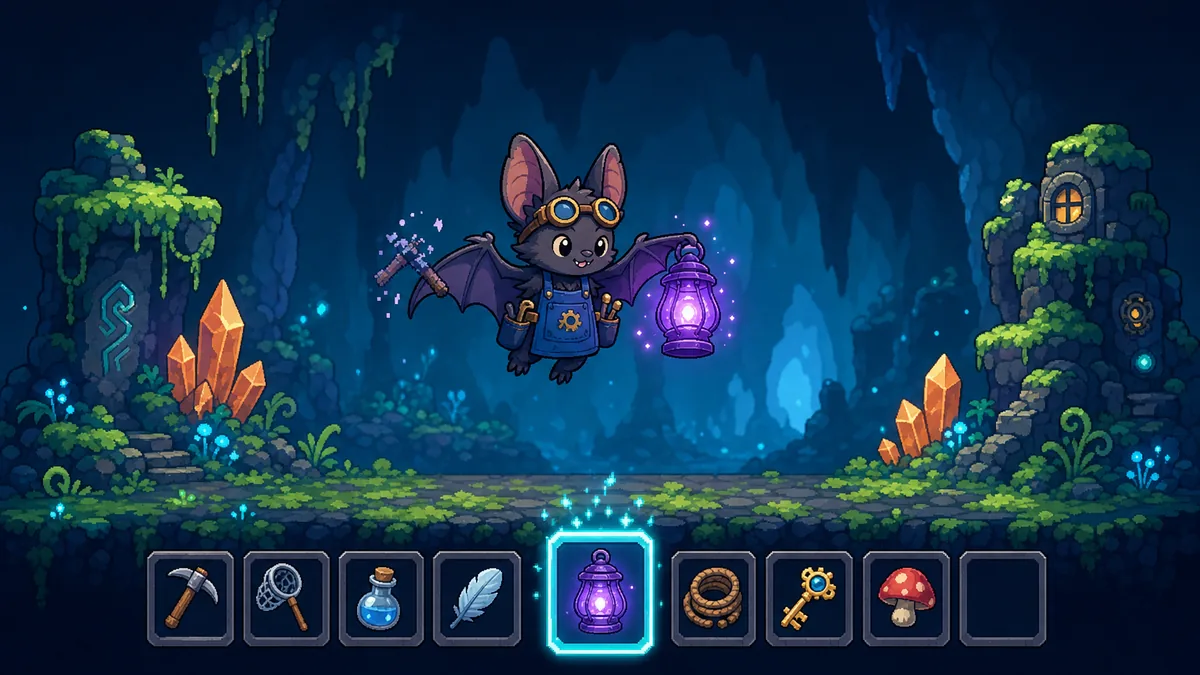
A hotbar is a short row of quick slots with one selected. Number keys jump to a slot and the scroll wheel steps along the row, round the ends or stopping there. A slot holds a shortcut, not the item, so using the last one spends it but leaves the shortcut ready for the next pickup.
Paste this to your AI
Copy it into Claude, Cursor or ChatGPT. It already has good values and the usual mistakes in it.
Add "Hotbar" to my game.

What it should do: A hotbar gives the player instant access to a handful of things without opening the bag. It must feel the same every time: the same key always picks the same slot, and the wheel never lands somewhere surprising.

Use these starting values:
- slots: 9
- wrap: 1 0 or 1
- skipEmpty: 1 0 or 1

Watch out for these common mistakes:
- Scrolling back from the first slot: Tell your AI: when going round the ends, add the slot count before taking the remainder, so the result is never negative.
- Several clicks in one moment: Tell your AI: treat the clicks as that many single steps, applying the same rules to each, so five clicks always end where five single clicks would.
- The same item in two slots: Tell your AI: when an item is placed, remove it from where it was. If the target was full, put that content in the old slot instead.
- The last potion is used up: Tell your AI: keep the shortcut and show it greyed out. Only the player removes a shortcut.
- An empty bar: Tell your AI: look at each slot at most once per step, and stay where you are if none is found.
- A key for a slot that is not there: Tell your AI: ignore any key that does not match a slot.

Do not change anything else in the game. Do not claim anything without proof: model what it takes, and show me what your solution rests on and how I can see that it works. If you cannot show something, say you do not know. When you are done, tell me in plain words how to try it.Or skip this and connect the MCP: your AI then finds all of this by itself.Connect the MCP
What it does
A hotbar gives the player instant access to a handful of things without opening the bag. It must feel the same every time: the same key always picks the same slot, and the wheel never lands somewhere surprising.
Good starting values
| Value | Start with | What it changes |
|---|---|---|
| slots | 9 | How many slots the bar has. Nine fit on the number keys one to nine and still leave a free hand for zero or for other keys. More than ten no longer map onto the number row. |
| wrap | 1 0 or 1 | With 1, scrolling past the last slot continues at the first, so the wheel is never stuck. With 0 it stops at the end, which suits a bar whose order means something. |
| skipEmpty | 1 0 or 1 | With 1, the wheel passes over slots with no shortcut, so a bar with three things takes three clicks and not nine. With 0 it lands on every slot, which lets the player select an empty one on purpose. |
What usually goes wrong
Scrolling back from the first slot
The player is on slot one and scrolls backwards. Many programming languages give a negative number when you take the remainder of minus one, so the selection becomes minus one and the bar shows nothing selected.
Fix: Tell your AI: when going round the ends, add the slot count before taking the remainder, so the result is never negative.
Several clicks in one moment
A fast wheel or a touchpad sends five clicks in one frame. A game that moves one step per frame feels laggy, and one that jumps by five with no care for empty slots lands in the wrong place.
Fix: Tell your AI: treat the clicks as that many single steps, applying the same rules to each, so five clicks always end where five single clicks would.
The same item in two slots
The player drags a potion into a second slot. Now the bar shows it twice, and using one makes the other seem to lose its count, or the potion is counted two times.
Fix: Tell your AI: when an item is placed, remove it from where it was. If the target was full, put that content in the old slot instead.
The last potion is used up
The slot clears itself when the count reaches zero. The player picks up more potions later and has to set up the bar again, and the other slots may have moved.
Fix: Tell your AI: keep the shortcut and show it greyed out. Only the player removes a shortcut.
An empty bar
With skipping on and no shortcuts, the wheel looks for a filled slot forever, or lands on a slot that does not exist.
Fix: Tell your AI: look at each slot at most once per step, and stay where you are if none is found.
A key for a slot that is not there
The bar has six slots and the player presses seven. The selection becomes slot seven, the game finds nothing there, and everything after misbehaves.
Fix: Tell your AI: ignore any key that does not match a slot.
How to check it works
- A bar of nine slots with the first selected. you press the key for the fifth slot: the fifth slot is selected.
- A bar of three slots with the second selected. you press a key for a slot number that does not exist, such as a fourth one, a minus one or a fraction: the second slot stays selected and the key is ignored.
- A bar of nine slots with wrapping on and skipping off. you scroll one step forward from the last slot, one back from the first, or ten back from the first: you land on the first, the last, and the last again.
- A bar of nine slots with wrapping off. you scroll five steps forward from the eighth slot, or five back from the second: you stop on the ninth slot, and on the first.
- A bar with items in the first and fourth slots and the others empty, with skipping on. you scroll forward from the first, forward from the fourth, or back from the first: you land on the fourth, then the first, then the fourth. From an empty slot, forward still finds the next filled one, and on a bar with no items you stay where you are.
- A bar with three items followed by an empty slot. you scroll two steps and then four steps from the first: two steps reach the third slot, and four steps reach the second, because the empty slot is skipped.
- A bar with a sword in the first slot and a bow in the second. you put the sword into the empty third slot, or onto the bow's slot: the sword moves to the third slot; onto the bow's slot the two trade places. Putting it where it already is changes nothing.
- A potion in the selected slot and two potions in the bag. you use it: one potion is spent, one is left, and the game says a potion was used.
- A potion in the selected slot and one in the bag. you use it twice, and then pick up three more: the second use finds none left and spends nothing, the shortcut stays on the bar, and after the pickup it can be used again.
Works well with
Needs: Inventory System.
- Item Stacking: Do not keep a second count on the bar, or the two will drift apart. The bar reads the total across all stacks. Using an item takes from the stack the inventory chooses.
- Ability Cooldowns: Otherwise a potion on cooldown is used up and does nothing. Check the cooldown first, and spend the item only if the use goes ahead.
- Ammo and Reload: Decide on purpose whether a switch cancels a reload in progress. Selecting a weapon on the bar is separate from reloading it. Switching away should not throw away the loaded rounds.
Variations: Equipment Slots.
Common questions
what do i tell my ai to add a hotbar
Paste this: Add a hotbar with nine slots. Number keys select a slot and ignore keys with no slot. The scroll wheel steps along the bar, wraps round the ends and skips empty slots. An item can be on the bar only once, and using the last one keeps the shortcut.
how many slots should a hotbar have
Nine or ten is the usual choice, because they map to the number row. Fewer suits a simple game. If you need more, add a second page and switch between pages instead of adding a tenth slot.
should the hotbar hold items or shortcuts
Shortcuts. The bag owns the items and their counts, and the bar points at them. That way there is one count to keep right, and a shortcut for something that ran out can simply wait.
why does scrolling backwards break at the first slot
Taking the remainder of a negative number can give a negative result in many languages, so the selection lands on minus one. Add the number of slots before taking the remainder.
Where it comes from
We could not find a reliable origin for this one yet.
What was checked
- 14 tests pass on the reference code.
Your AI gets the code
Tested example code comes through the Spielerando connection, so your AI can use it right away. How to connect it