Grid Building Placement
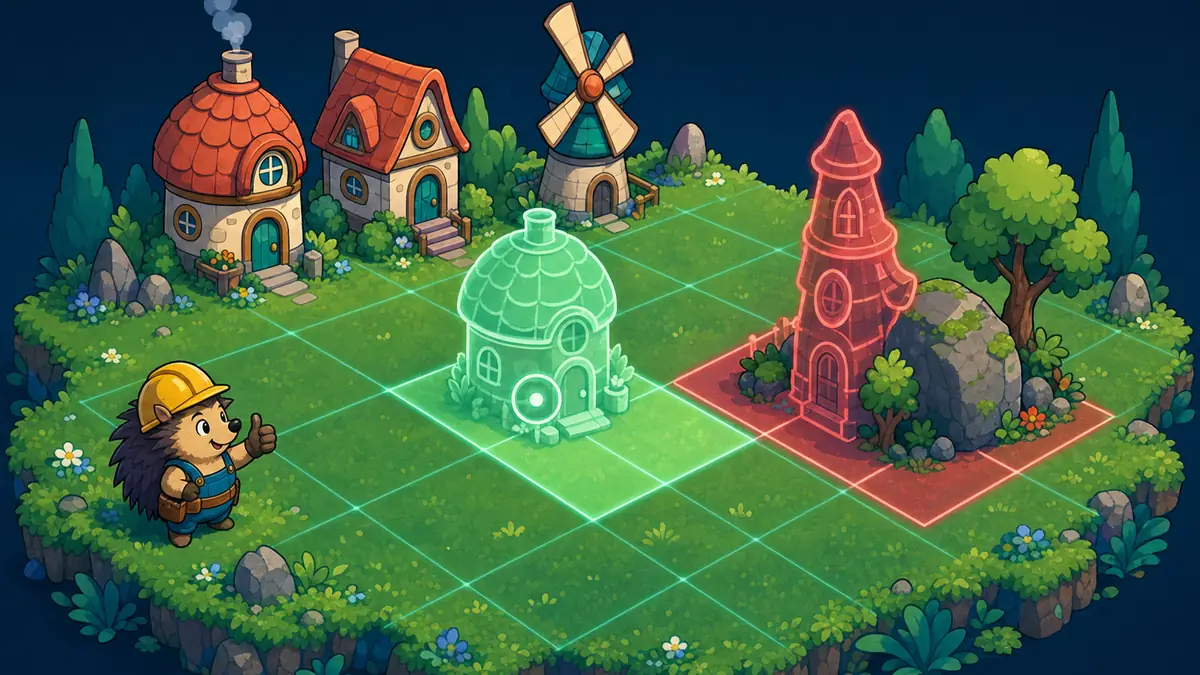
Grid building placement lets the player pick a building, see a preview that follows the cursor and snaps to the grid, and put it down where it fits. The preview turns red outside the grid, over something else, or when coins run short. A building lands whole or not at all.
Paste this to your AI
Copy it into Claude, Cursor or ChatGPT. It already has good values and the usual mistakes in it.
Add "Grid Building Placement" to my game.

What it should do: Placement turns a click into a choice about space: where to put the farm, how to leave room to walk, what to squeeze in. The preview tells the player the answer before they commit.

Build it exactly as this state machine. First check that it fits my game, then build it like this:

```mermaid
stateDiagram-v2
  [*] --> idle
  idle: Nothing picked
  ready: Preview fits
  blocked: Preview blocked
  idle --> idle: cursor moves
  idle --> ready: pick, it fits
  idle --> blocked: pick, it does not fit
  ready --> ready: moves, still fits
  ready --> blocked: moves, or just placed
  ready --> idle: put away
  blocked --> blocked: moves, still blocked
  blocked --> ready: moves to a free spot
  blocked --> idle: put away
```

Use these starting values:
- gridWidth: 12 cells
- gridHeight: 8 cells
- cellSize: 32 units
- costPerCell: 10 coins
- refund: 0.5
- startCoins: 200 coins

Watch out for these common mistakes:
- The building lands half a cell off: Tell your AI: centre the building on the cursor. An odd width sits on the cell under the cursor, an even width on the nearest grid line. In maths: floor of the cursor in cells, minus half the width, plus a half.
- Left of the grid counts as the first cell: Tell your AI: always round down, never cut off the fraction, so the area left of or above the grid is cell minus one and the preview is outside.
- Only one cell is checked: Tell your AI: check every cell of the footprint, and say outside the grid before over something.
- Half a building is placed: Tell your AI: check all cells first and write them all afterwards. A refused placement changes nothing.
- The preview says yes and the click says no: Tell your AI: use one function for both, and work the preview out again after every change, including right after placing.
- Taking down a building frees one cell: Tell your AI: give each building a number, and free every cell with that number. Never let the player remove bare ground.

Do not change anything else in the game. Do not claim anything without proof: model what it takes, and show me what your solution rests on and how I can see that it works. If you cannot show something, say you do not know. When you are done, tell me in plain words how to try it.Or skip this and connect the MCP: your AI then finds all of this by itself.Connect the MCP
What it does
Placement turns a click into a choice about space: where to put the farm, how to leave room to walk, what to squeeze in. The preview tells the player the answer before they commit.
How it runs, as a diagram
Everything it can be in, and what moves it on. Your AI builds from exactly this.
How it runs, as a diagram
- Nothing picked → Nothing picked: cursor moves
- Nothing picked → Preview fits: pick, it fits
- Nothing picked → Preview blocked: pick, it does not fit
- Preview fits → Preview fits: moves, still fits
- Preview fits → Preview blocked: moves, or just placed
- Preview fits → Nothing picked: put away
- Preview blocked → Preview blocked: moves, still blocked
- Preview blocked → Preview fits: moves to a free spot
- Preview blocked → Nothing picked: put away
Good starting values
| Value | Start with | What it changes |
|---|---|---|
| gridWidth | 12 cells | How many cells across the building area is. |
| gridHeight | 8 cells | How many cells down the building area is. |
| cellSize | 32 units | How big one cell is on screen, in the same units as the cursor. It decides how finely the cursor can aim. |
| costPerCell | 10 coins | What each cell of a building costs, so a big building costs more than a small one. The total is rounded to a whole number of coins. |
| refund | 0.5 | The share of the price paid that comes back when a building is taken down. At 1 it is free to change your mind. Lower makes placing a real decision. |
| startCoins | 200 coins | What the player has at the start. With the cost per cell it sets how many small buildings fit before the money runs out. |
What usually goes wrong
The building lands half a cell off
The code rounds the cursor to the nearest cell and then draws the building from its corner. A building two cells wide sits next to the cursor instead of under it, and the preview jumps around when the cursor moves.
Fix: Tell your AI: centre the building on the cursor. An odd width sits on the cell under the cursor, an even width on the nearest grid line. In maths: floor of the cursor in cells, minus half the width, plus a half.
Left of the grid counts as the first cell
The cursor is just left of the grid, at minus 0.4 cells. The code cuts off the fraction instead of rounding down, gets cell 0 and shows a green preview inside the grid.
Fix: Tell your AI: always round down, never cut off the fraction, so the area left of or above the grid is cell minus one and the preview is outside.
Only one cell is checked
The check looks at the cell under the cursor and not at the whole footprint. A large building is placed half on top of a rock or hangs over the edge of the grid.
Fix: Tell your AI: check every cell of the footprint, and say outside the grid before over something.
Half a building is placed
The code writes the building cell by cell and finds the overlap partway through. Half of the building is on the grid, the money is gone or not, and the player cannot remove the leftover cells.
Fix: Tell your AI: check all cells first and write them all afterwards. A refused placement changes nothing.
The preview says yes and the click says no
The preview and the placement use two different checks, written at different times. The player sees green, clicks, and nothing happens, or the other way round.
Fix: Tell your AI: use one function for both, and work the preview out again after every change, including right after placing.
Taking down a building frees one cell
The player clicks a building to remove it. The code clears only the cell that was clicked, and the rest of the building stays as an invisible block with no way to remove it.
Fix: Tell your AI: give each building a number, and free every cell with that number. Never let the player remove bare ground.
How to check it works
- A preview of a single cell. the cursor moves anywhere inside cell 5 across: the preview sits on cell 5, and one tiny step to the right makes it cell 6.
- A building three cells wide and three tall. the cursor is anywhere inside cell 5 across and cell 4 down: the preview covers cells 4 to 6 across and 3 to 5 down, with the cursor cell in the middle.
- A building two cells wide and two tall. the cursor is in the left half of cell 5, and then in the right half of cell 5: the preview covers cells 4 and 5 the first time, and cells 5 and 6 the second time.
- A preview of a single cell. the cursor is a little to the left of the grid: the preview is outside the grid, a click is refused and the grid does not change.
- A preview of a single cell. the cursor is a hair inside the right edge of the grid, and then exactly on it: the first time it sits on the last cell and may be placed, and the second time it is outside.
- A building two cells wide and three tall. the cursor puts part of it past the left edge, and again past the bottom edge: the preview is outside, a click is refused and no coin is spent.
- A building two cells wide and three tall, 10 coins per cell and 200 coins. the player places it on free ground: six cells hold the building and the player has 140 coins left.
- A building already placed. the player aims at it and places a second one on top of it: the preview already says no, the click is refused and neither the grid nor the coins change, but a building right next to it is fine.
- A building three cells across and three tall. a second one is aimed so that only a single corner cell is shared: the preview says it overlaps.
- A building that costs 40 coins and a player with 39. the player aims at free ground and clicks: the preview says too expensive, the click is refused and nothing is spent, while exactly 40 coins is enough.
- A building three cells wide and one tall under the cursor. the player turns it, and turns it back: it becomes one wide and three tall around the same cursor and then returns to the first shape, and a turn that pushes it off the grid shows as outside.
- A building two cells wide and two tall that cost 40 coins. the player clicks any one of its cells with nothing picked, to take it down: all four cells are free again and half the price, 20 coins, comes back.
- A refund share of 1. the player places a building and takes it down again: the player has exactly the coins they started with.
- A cell of ground that cannot be built on. the player aims a building at it, and tries to take it down: the preview says it overlaps, and the ground stays as it is.
- A building with a width of zero, or a fraction of a cell. the player picks it: nothing is picked.
Works well with
- Currency Wallet: Two places that hold the player's coins drift apart, and a refund then adds coins that were never taken. Let the wallet own the coins, and let this mechanic ask it whether the price can be paid before it writes anything to the grid.
- Crafting System: Buildings can be made from materials instead of coins. Replace the price check with a check on the materials and keep everything else.
- Grid Backpack: Both fit shapes onto a grid and need the same footprint, rotate and overlap rules, so one footprint check can serve both.
- World State Flags: Without the prices a building taken down after a reload refunds nothing. Save the grid, the coins and what each building cost, and load them before the first preview.
Common questions
how does grid building placement work in games
The player picks a building and a preview follows the cursor, snapping to the grid. It shows whether the building fits. A click puts the building down if every cell it covers is free and the player can pay.
how do i center a multi-tile building on the cursor
Round the cursor position down to a cell, then move back by half the building's width and add a half. An odd width then sits on the cell under the cursor and an even width on the nearest grid line.
should the player get all the money back when removing a building
Usually not. Half is a good start: it lets the player fix mistakes without making placement free. Give everything back only in a game where you want players to rearrange freely.
what do i tell my ai to add building placement
Paste this: Add building placement on a grid. A preview follows the cursor, centred on it and snapped, and turns red outside the grid, on something else or when coins run short. A click puts the whole building down or does nothing. Taking one down frees all its cells and returns half the price.
Where it comes from
We could not find a reliable origin for this one yet.
What was checked
- 20 tests pass on the reference code.
- The state diagram was checked against the code, at the default values and at every listed low and high value.
Your AI gets the code
Tested example code comes through the Spielerando connection, so your AI can use it right away. How to connect it