AI Pixel Art: Let Your AI Write the Picture as Text
For real pixel art from an AI, do not ask it for a picture. Ask it to write the sprite as text: rows of letters, one letter for one pixel, and a short list that says which letter is which colour. Tested code turns the text into pixels, and before it draws anything it reports each mistake with its row and column.

What does an image tool give you instead?
A picture that imitates the look. We measured one of our own: the scene on our jump buffering blueprint, which an image tool painted to the brief "pixel art cavern". The file is 1536 by 1024 pixels and has 187,566 different colours. Not one pixel in it is see-through, and it has no grid: there is no block size at which every block is one colour.
That is fine for a scene at the top of a page. As a sprite it is no use. It cannot be cut into frames of 32 by 32, and "make the hat one pixel taller" means painting the whole picture again.
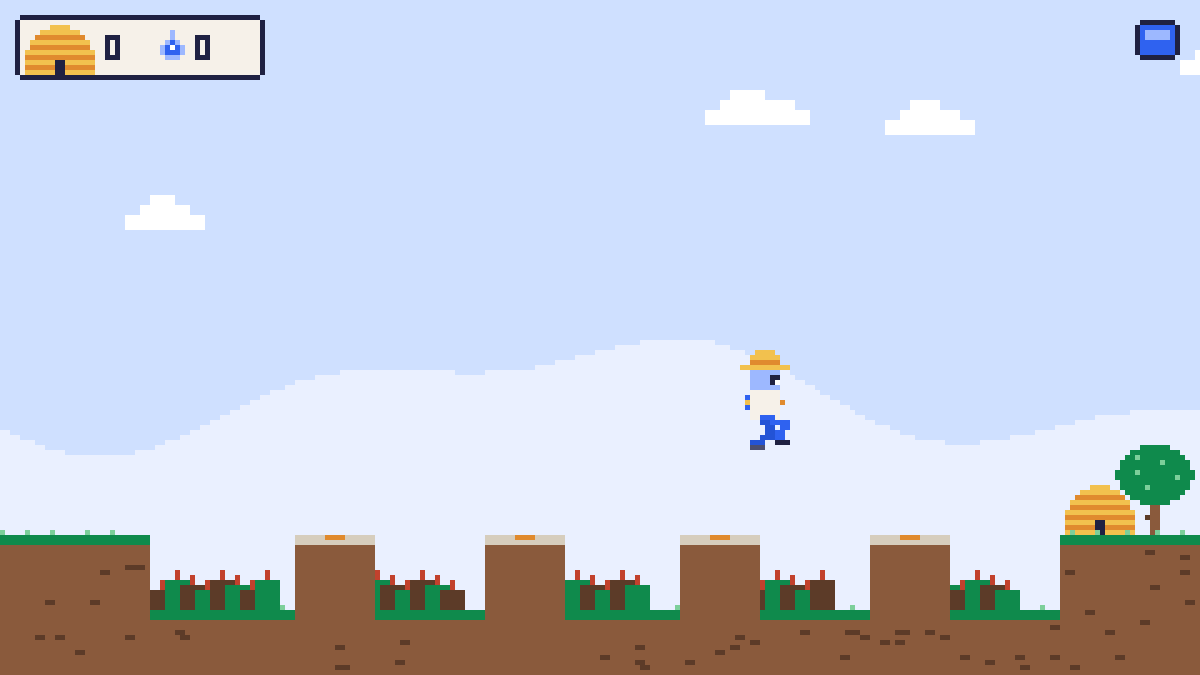
The beekeeper above has 7 colours and 124 drawn pixels on 16 by 16, and each one is where the text puts it.
What does a sprite look like as text?
................
......yyyy......
.....yyyyyy.....
.....oooooo.....
...yyyyyyyyyy...
....ssssssss....
....skkkkkks....
....skwkkwks....
....ssssssss....
...cccccccccc...
..cccccccccccc..
..ccccbbbbcccc..
..yccccccccccy..
....cccccccc....
....bbb..bbb....
....kkk..kkk....
And its palette, one letter for each colour:
k #1f2142   dark ink: the boots and the veil's window
w #ffffff   the glints in the eyes
c #f6f1e9   the cream jacket
y #f2c14e   straw: the hat and the gloves
o #e08a2e   the hat band
b #2f62f0   the pocket and the trousers
s #9db8ff   the veil
A dot is a see-through pixel. Read it like a picture, top row first: the hat with its band, the veil with a dark window and two white glints, the jacket with a blue pocket, a yellow glove at each end of row 13, the trousers, the boots.
This suits an AI because it writes text and can read text back. It can count that every row has 16 letters, compare two frames letter by letter, and change the one letter you point at. With a painted picture it can only describe what it wants and try again.
What does the check catch?
An AI still miscounts. So the recipe Pixel art from text reads the text before it draws. On the beekeeper it says:
1 sprite of 16 by 16 pixels. No problems.
To see it fail, we planted two mistakes: we cut the last letter off row 8, and put an x into row 12, a letter the palette does not have. This is the report, word for word:
1 sprite of 16 by 16 pixels. Found 2 problems.
ragged-row: Frame 1, row 8 has 15 letters, the other rows have 16: "....skwkkwks...".
unknown-letter: Frame 1, row 12, column 9: the letter "x" is not in the palette.
Both are easy to miss by eye in a block of letters, and both would change the picture. The check also reports a colour it cannot read, a frame of an animation that is not the size of the first, more colours than you allowed and a side longer than the limit. Out of the box the limits are 16 colours and 64 pixels.
How big can a text sprite get?
Small. The beekeeper is 16 rows of 16 letters. A sprite of 32 by 32 is 32 rows of 32, which an AI can still write and you can still read. For title screens, portraits and backgrounds use an image tool or a person, and read AI game art first.
A text sprite is not good-looking by itself either. The check proves that the text is a well-formed picture. Whether the beekeeper looks like a beekeeper is for your eyes, so always look at her scaled up.
How do you get it into your game?
- In a browser game, the recipe hands the pixels to a canvas, or writes an SVG that stays sharp at any size. The picture at the top of this page is that SVG.
- In any engine, let your AI save the sprite as a PNG file with the recipe PNG pixels, which writes the file itself with nothing to install.
- Scale by whole numbers only. The recipe refuses 2.5, because then some pixels come out two wide and some three.
- Keep the text in your project, next to the code. It is the source of the picture. To change the sprite, change the text and run the check again.
For an animation, write the frames one under the other with an empty line between them. Then let the sprite sheet check measure the result.
Paste this to your AI
Draw a sprite for my game as pixel art, written as text.

The sprite: [what it shows], [width] by [height] pixels, at most [8] colours.

1. First tell me your plan in words: what is in each band of rows from
   top to bottom, and which colour is for what. Wait for my yes.
2. Take the code "Pixel art from text" from
   https://spielerando.com/en/recipes/pixel-art-from-text. Run its tests
   first and show me that they pass.
3. Write the palette, one letter for each colour, and the sprite as rows
   of letters. A dot is a see-through pixel.
4. Run the recipe's check on your text and show me its report word for
   word, not your own summary. If it finds problems, fix the text and run
   it again.
5. Show me the picture scaled up 8 times. How it looks is for me to judge.
6. When I ask for a change, change only the letters I point at, by row
   and column, and run the check again.
How to check it worked
- Read the report yourself. It must say "No problems." Your AI saying the sprite is fine does not count.
- Count one row. Pick any row of the text and count its letters against the width you asked for.
- Put the sprite on a bright pink background. Every pixel that should be see-through shows the pink.
- Ask for one pixel to change. Name a row and a column. The new text should differ from the old in exactly that letter.
- Look at it at the size your game shows it. A sprite that reads well at 8 times its size can turn to mush at its real one.
Play the mechanics on this page
Was this page helpful?
Next step
Cookbook
AI Game Sprites: From Picture to Working Animation
A single sprite written as text is checked letter by letter; once you have several frames in a row, this page measures the whole sheet for feet off the line, sideways jumps and a painted background.